


Please complete the following 5 simple steps to share the sub-account of your Shopify to Aromaeasy.


First Name:Aromaeasy
Email:support@aromaeasy.com
Edit permissions:
Choose 4 options:
“Orders” “Edit orders” “Products” “Apps”

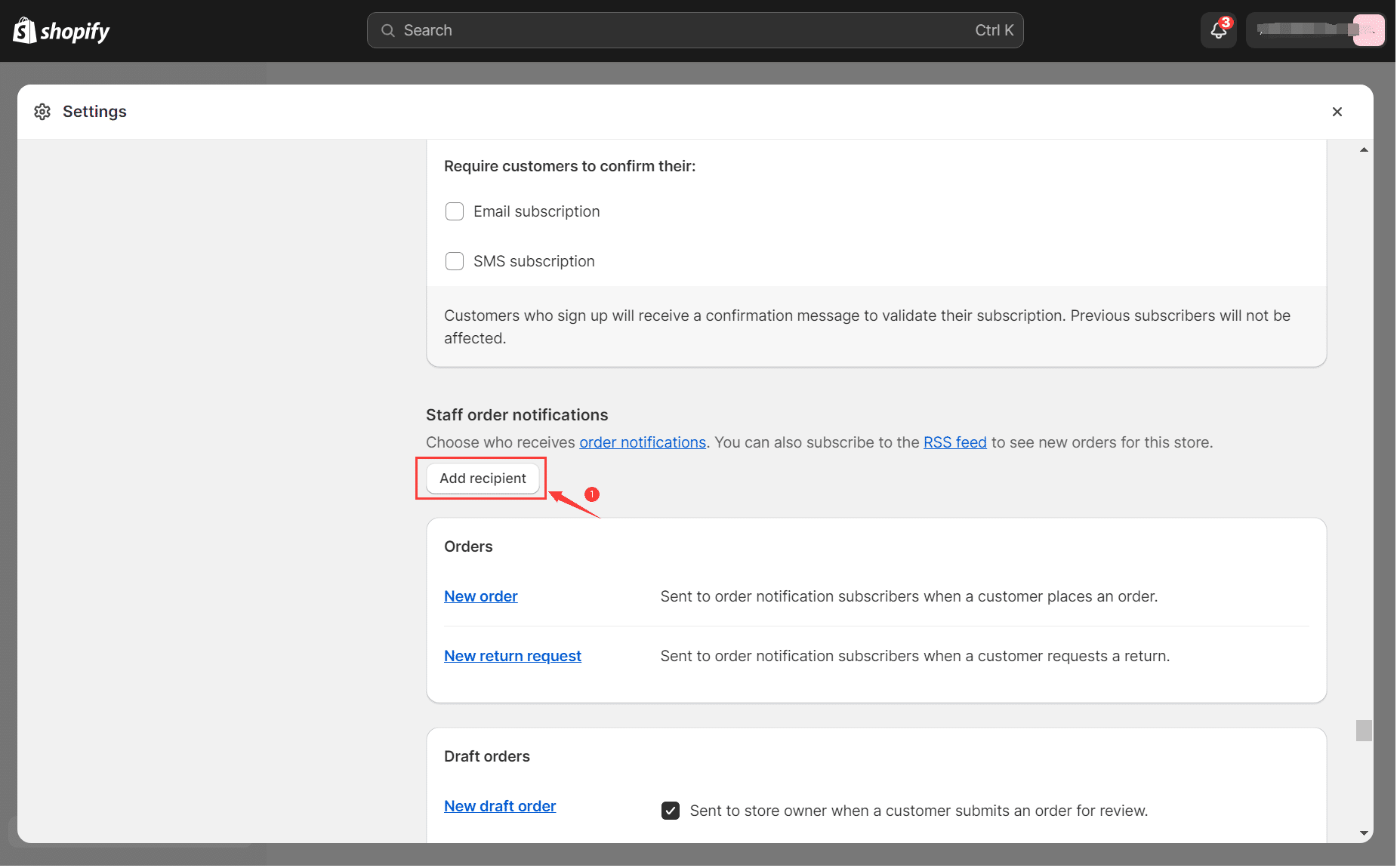
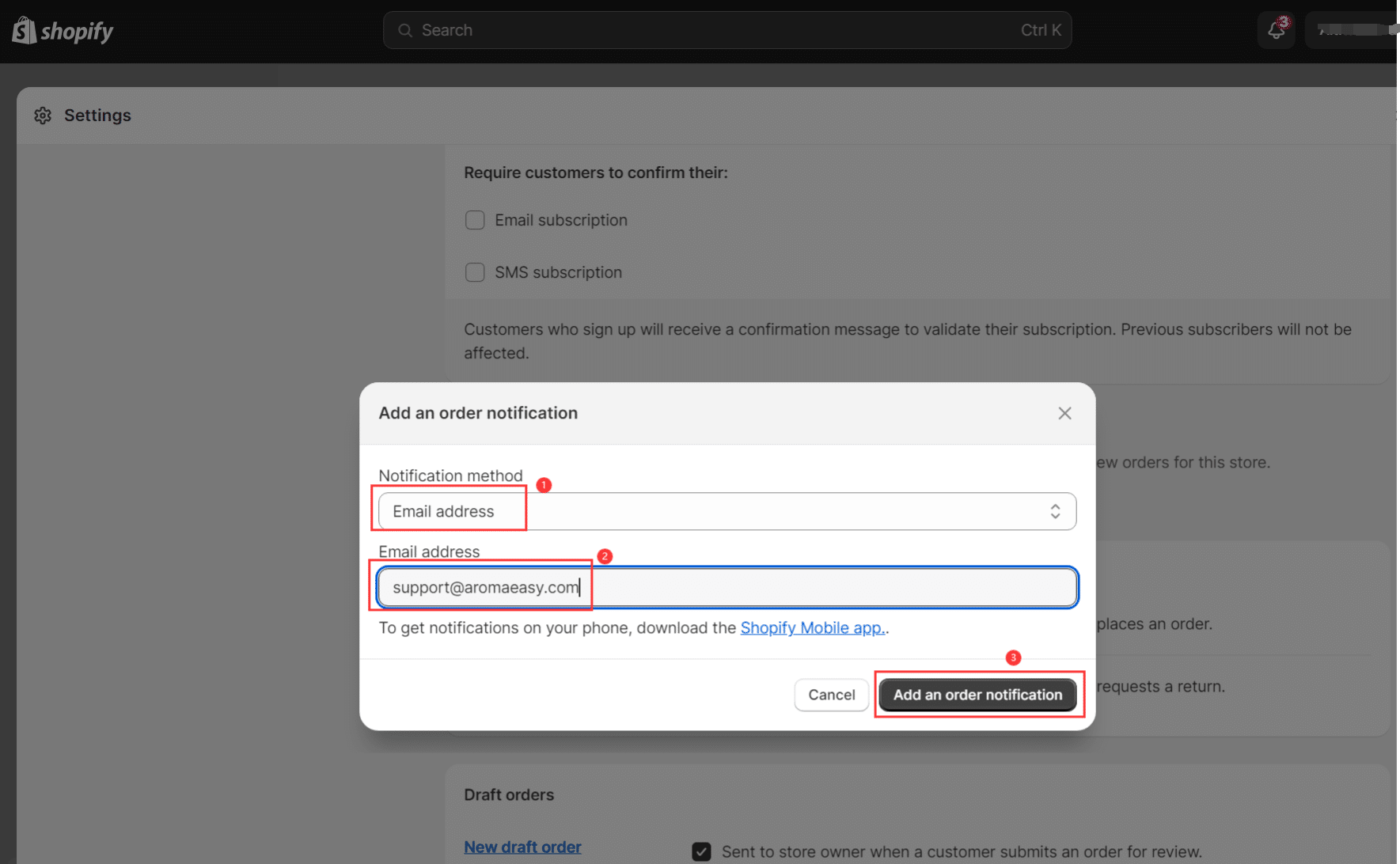
Add an order notification Email address:
support@aromaeasy.com
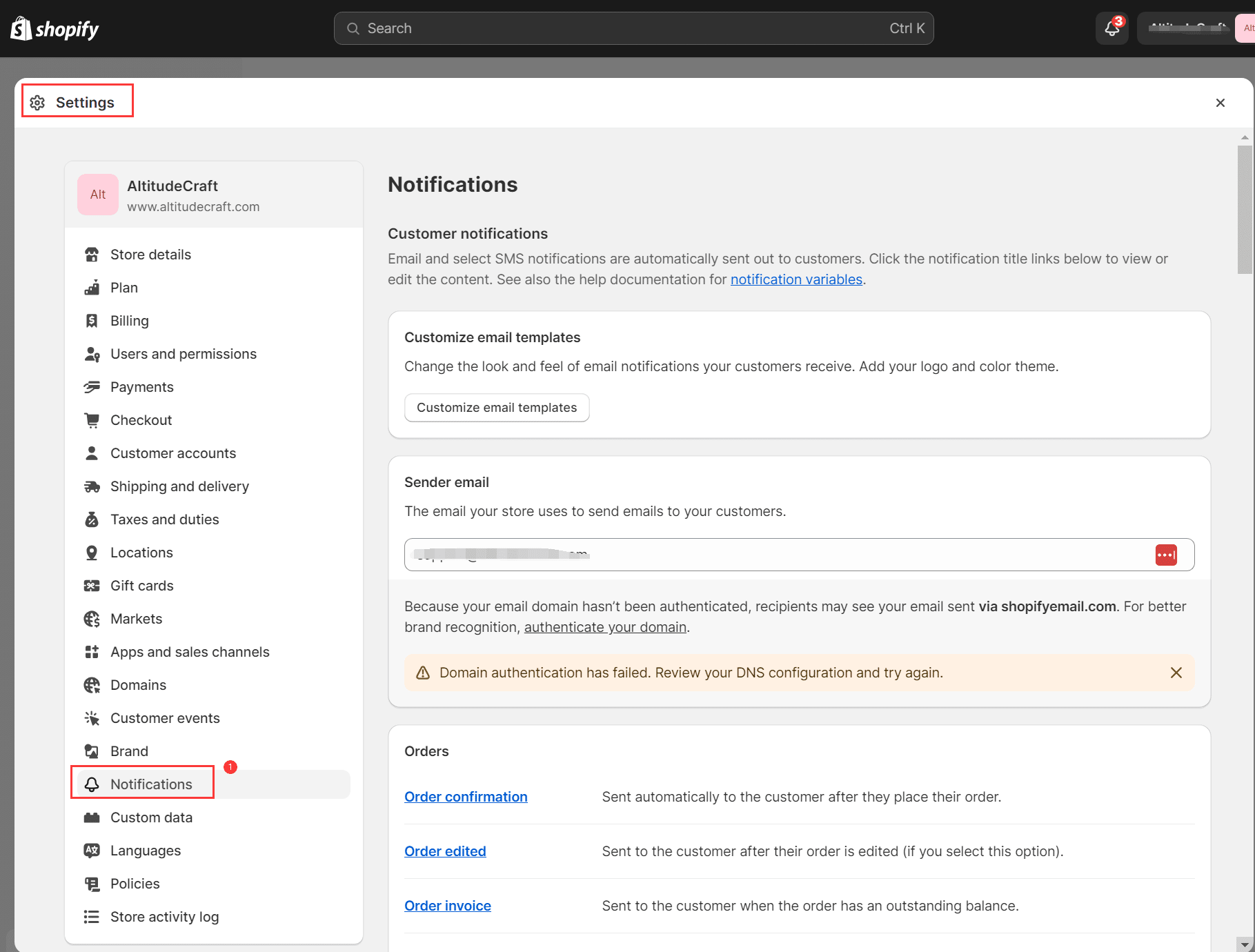
Setting-->Notifications-->Create Webhooks

Add Webhook
Event: Order creation
Format: JSON
[nonmember]URL: shown to active members only — please log in with your membership account to see it.
[/nonmember]Webhook API version: select the latest stable version offered by Shopify (not a release candidate)

Well Done.
We did the “dirty work, so you can focus on the marketing!
Aromaeasy will complete the integration setup within 48 hours.
We will send a confirmation email to you when it is complete. After that, each new Shopify order is forwarded to us automatically; we email you a payment link (usually within 1 business day) and the tracking number as soon as it ships.